
Free · Native · For macOS 14+
The Download Manager Built for macOS.
Download faster with multi-connection acceleration. Grab videos, YouTube playlists, HTTP Live Streaming (HLS) streams and torrents. Convert media — all in one free, native Mac app.
100% free — no ads, no subscription, no account.

Everything you need. Completely free.
AVS combines a download accelerator, video grabber, torrent client and media converter in one native app.
Fast multi-part downloads
Multi-connection, multi-segment transfers push every download to your line's maximum speed.
Browser capture
The companion extension for Chrome, Edge and Brave sends downloads straight into AVS.
YouTube & playlists
Download single videos or entire playlists with quality selection and audio-only mode.
Page videos & streams
Save HTTP Live Streaming (HLS/m3u8) and Dynamic Adaptive Streaming over HTTP (DASH) streams the browser can't download as a normal file.
Built-in converter
Convert to MP4, MKV, MP3, M4A or WAV with a simple queue — no extra apps needed.
Pause, resume, schedule
Resume interrupted downloads, set schedule windows, speed limits and proxies.
Torrent downloads
Magnet links and .torrent files with file selection, pause/resume and seeds/peers overview.
Organized library
Automatic filters for video, audio, documents, archives and more keep everything tidy.
Menu bar & privacy
Menu bar utility, notifications, post-download actions and App Lock with Touch ID.
How it works
Up and running in under a minute.
Install the Mac app
Get AVS Download Manager free as a .dmg from this site.
Add the browser extension
Install the extension for Chrome, Edge or Brave and keep the app open.
Click download
Downloads and videos are captured automatically — or paste any link into AVS.
Designed for macOS. Down to the last pixel.
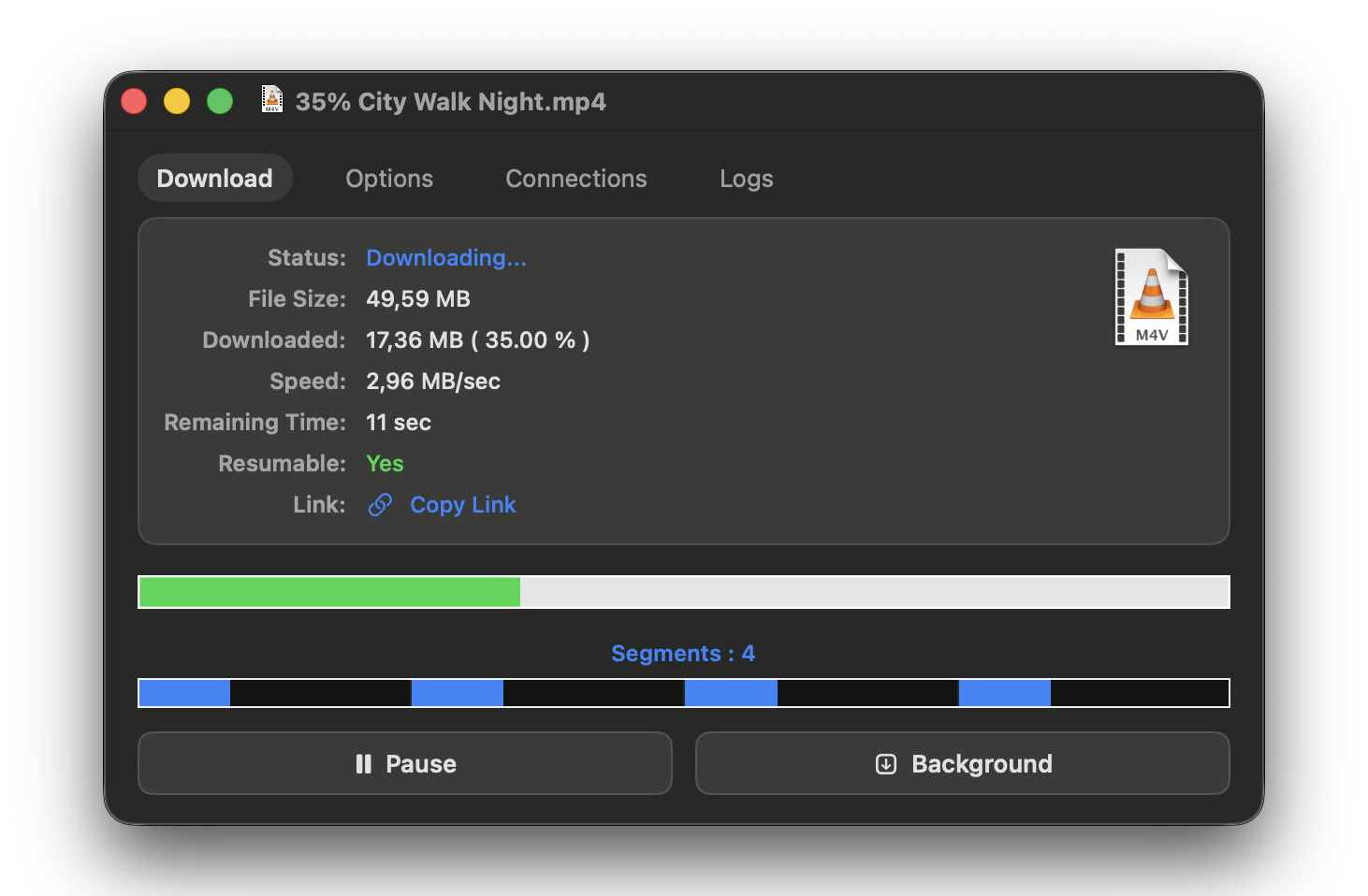
All your downloads in one organized library — file type filters on the left, live speed, progress and status for every item.


What you can download
Videos, audio, files and streams from the sites you use every day.
and many more sites — plus magnet links, .torrent files, direct links and HTTP Live Streaming (HLS) / Dynamic Adaptive Streaming over HTTP (DASH) streams.
One click in your browser
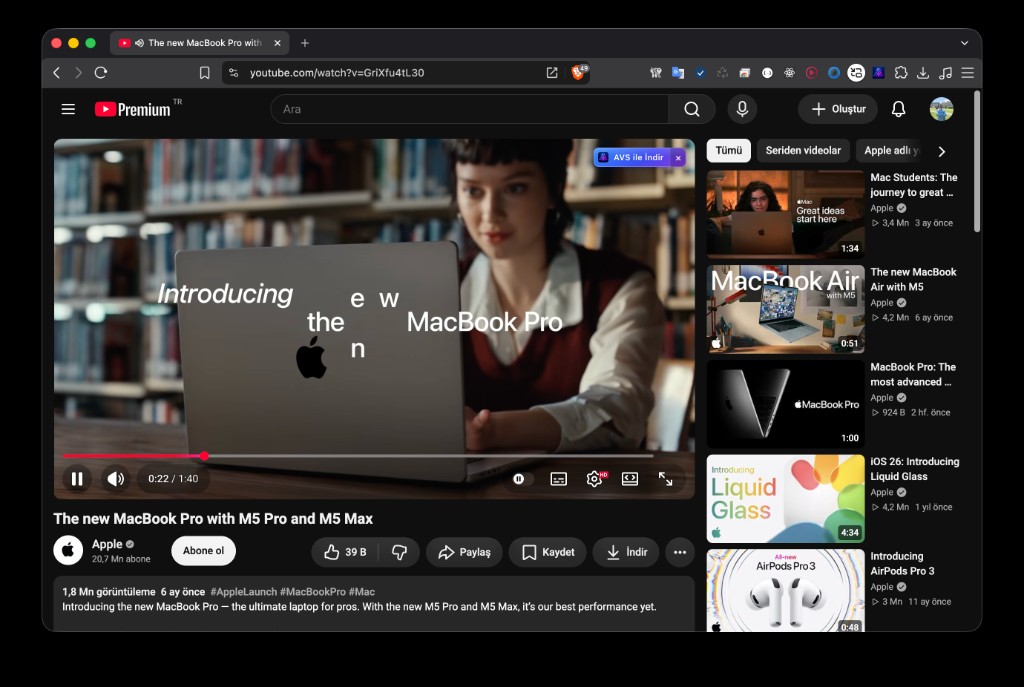
The AVS browser extension for Chrome, Edge and Brave captures files and videos as you browse and hands them to the Mac app over native messaging. Keep AVS open, and every download lands in the right place.
Works with Chrome, Edge and Brave.
Looking for Internet Download Manager (IDM) on Mac?
Internet Download Manager is one of the most popular download managers for Windows — but it doesn't exist for macOS. AVS Download Manager brings the full download-manager experience to the Mac as a free, modern alternative: accelerated downloads, video detection, YouTube playlists, torrents and built-in conversion.
Why AVS instead of Internet Download Manager (IDM) →About AVS Download Manager
AVS Download Manager is a free download manager for macOS. It is designed as an alternative to Internet Download Manager (IDM) for Mac users and supports accelerated file downloads, video downloading, YouTube playlist downloads, torrent downloads, and video and audio conversion.
Fact sheet
- Developer
- AVS
- Platform
- macOS 14 or later
- Category
- Download Manager
- Price
- Free
- Download acceleration
- Yes
- Video & playlist download
- Yes
- Torrent support
- Yes
- Video / audio conversion
- Yes
- Languages
- 12
- Internet Download Manager (IDM) alternative
- Yes
Frequently asked questions
Is AVS Download Manager free?
Yes — AVS is 100% free. There are no ads, no subscriptions, no paywall and no account. If you like it, you can support development with a coffee.
Does it work only on macOS?
Yes. AVS is a native Mac app for macOS 14 and later, built for both Apple Silicon and Intel Macs. There is no Windows or iOS version.
Is AVS an Internet Download Manager (IDM) alternative for Mac?
Yes. Internet Download Manager (IDM) is Windows-only. AVS brings accelerated multi-connection downloads, video detection, playlists and more to macOS — for free.
How does the browser extension work?
The extension for Chrome, Edge and Brave talks to the Mac app via native messaging. When you start a download or open a video, it's captured and sent to AVS automatically. Just keep the app open.
Can AVS download YouTube playlists and torrents?
Yes. AVS downloads YouTube videos and entire playlists with quality selection, and handles magnet links and .torrent files with per-file selection, pause and resume.
Why did AVS capture the wrong video?
Some sites keep media that was opened earlier on the page. Refresh the page, open the video you want again, then capture. You can also paste the URL into AVS after refreshing.
Does AVS bypass Digital Rights Management (DRM)?
No. AVS does not crack or bypass Digital Rights Management (DRM). Only download content you have the right to download, and respect each site's terms and copyright.
Get in touch
Questions, feedback or a bug — write or send a message. No form, no account.